


Welcome back to the StoreLab newsletter!
This month’s release is all about helping you get more value from your Shopify mobile app with deeper performance insights and an even smoother shopping experience.
Our headline feature is the redesigned Analytics Sales Tab, built to give you clearer insights into customer behavior and sales performance. With a better understanding of how customers interact with your app, you’ll be able to make more informed decisions and optimize both your app experience and marketing efforts.
Alongside this release, we’ve also made a range of reliability and performance improvements across the StoreLab platform, ensuring a faster, more stable experience to support your day-to-day ecommerce operations.
Let's jump right in!
.png)
Analytics | Sales Tab
What did we change and what’s the value?
We've completely rebuilt the Analytics experience, starting with a brand new Sales Tab.
The previous analytics experience was due for an overhaul: the UI interface felt dated, reporting accuracy needed improvement, and many of the metrics store owners asked for were missing.
The new Sales tab is built around StoreLab's proprietary CAR framework - the three metrics that matter most to mobile commerce growth: Conversions, Average Order Value, and Returning Customer Rate.
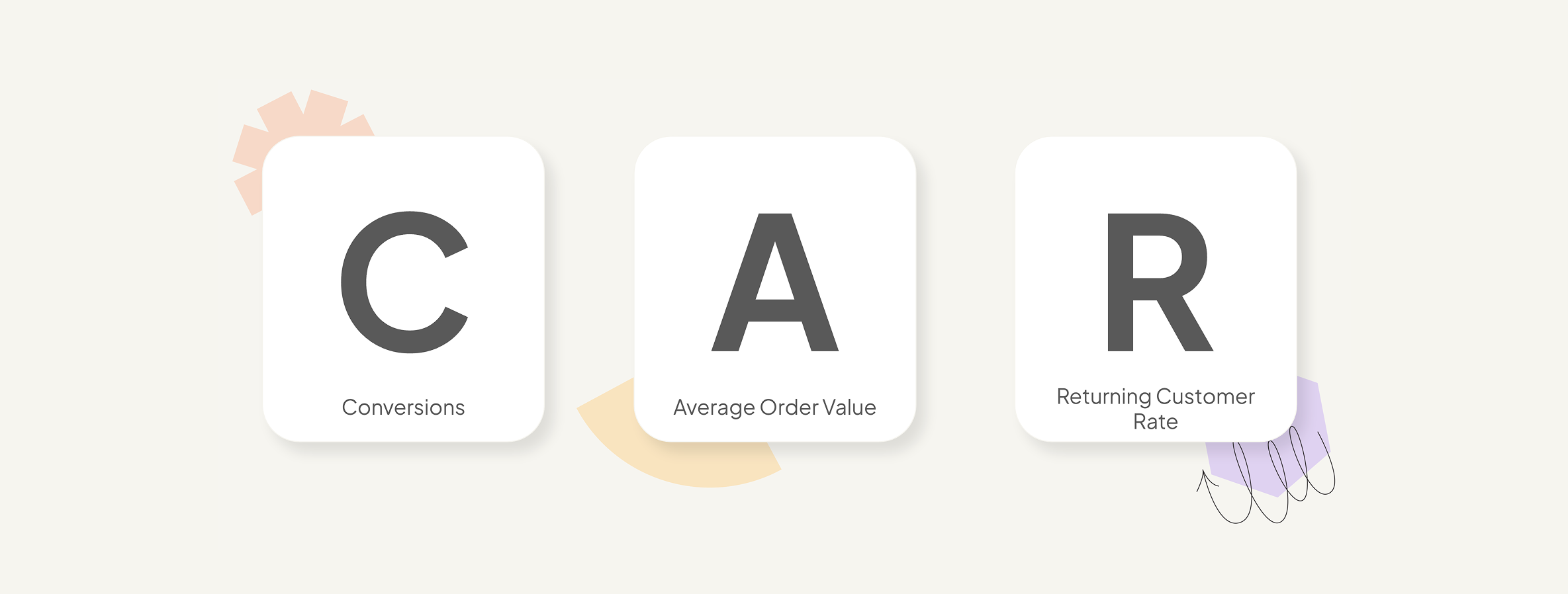
Every report, insight, and trend in the tab is designed to help you understand how your app is performing against these key growth drivers, identify opportunities for improvement, and make more data-driven decisions.
You can now:
- Conversion Rate - See what percentage of app sessions result in a completed order, with trend comparisons against the previous period.
- Average Order Value (AOV) - Understand how much customers spend on average each time they place an order through your app.
- Returning Customer Rate - Track the percentage of orders placed by customers who’ve purchased from you before.
- Total Sales Over Time - Analyze revenue performance with a complete breakdown of gross sales, discounts, returns, net sales, shipping, and taxes, alongside period-over-period comparisons.
- Checkout Funnel - Identify where customers drop off on the path to purchase, from product browsing and adding to cart through to checkout completion.
- Order Value Breakdown - Explore how orders are distributed across different value bands to better understand purchasing behavior and AOV optimization opportunities.
- Top Viewed Products - Discover which products are attracting the most attention within your Shopify mobile app.
- Top Wishlisted Products - See which products customers are saving for potential future purchases.
- Back in Stock Subscribers - Find out which products have the highest demand based on the number of customers waiting for them to come back in stock.
You can filter all data and reports by source (Direct, Abandoned Cart, or Push) and then customize the date range to analyze performance over any chosen period of time.
What problem did this solve?
The previous analytics experience made it difficult to understand how much revenue your app was generating and where the biggest opportunities for improvement existed.
The new-and-improved analytics experience brings the metrics that matter most to the forefront in a clean, accurate, and intuitive interface - helping you make confident, informed decisions about your mobile channel and stay focused on the strategies that build sustainable Shopify growth.
Where can I find it?
Head to Analytics in the StoreLab dashboard and select the Sales tab.
Behind The Scenes
Alongside this month’s bigger feature release, we’ve continued investing in the reliability, performance, and overall experience of the StoreLab platform.
This includes:
- Faster release cycles, allowing us to deliver new app updates more quickly
- Ongoing general platform improvements to enhance stability across the mobile experience
These updates help keep your app fast, reliable, and ready to support your day-to-day ecommerce operations.
What’s Next?
📲 Opt-In Rate Uplift for Push Notifications
We've been working on a new in-app experience that prompts customers to opt in to push notifications at the moments they're most likely to say yes. This includes post-purchase, after wishlisting products, and when subscribing to back in stock alerts. Rather than a one-size-fits-all prompt, the experience is designed to feel relevant to what the customer just did, with benefit-led messaging that gives them a clear reason to enable notifications.
The result is a larger, more engaged push subscriber base for every campaign you send.
💳 Apple Pay - Accelerated Checkout
Pro subscription required
ApplePay is coming to the Cart page, giving customers a one-tap checkout experience using the payment details already saved on their device. For Pro subscribers, this means less friction at the most critical moment in the purchase journey - and fewer reasons to abandon checkout before completing an order. Coming very soon!
Before You Go!
We hope you’ve enjoyed learning more about what’s new in this June release! If you have any questions about these latest enhancements, feel free to reach out to your Account Manager who can go into more detail or will connect you with the relevant team member.
Or if you’ve landed here looking for ways to achieve sustainable Shopify revenue growth, book a call with one of our friendly experts at StoreLab. We’d love to learn more about your business and how we can help you to reach your full sales potential.

Skyrocket your Shopify sales with a no-code Apple & Android mobile app. Available now on the Shopify app store.









.webp)

